Know how to check the total count of products that are Active, Not Listed, Submitted, or in Error on Amazon?
The Product Status sub-card on the Dashboard breaks every Shopify product enabled for Amazon syncing into a status bucket — so you can see at a glance how many are live, how many are still in the queue, and how many need attention.
Open the card
Go to Dashboard → Products and find the Product Status sub-card. Click Refresh Now for the latest counts; Last updated shows when the data was refreshed.
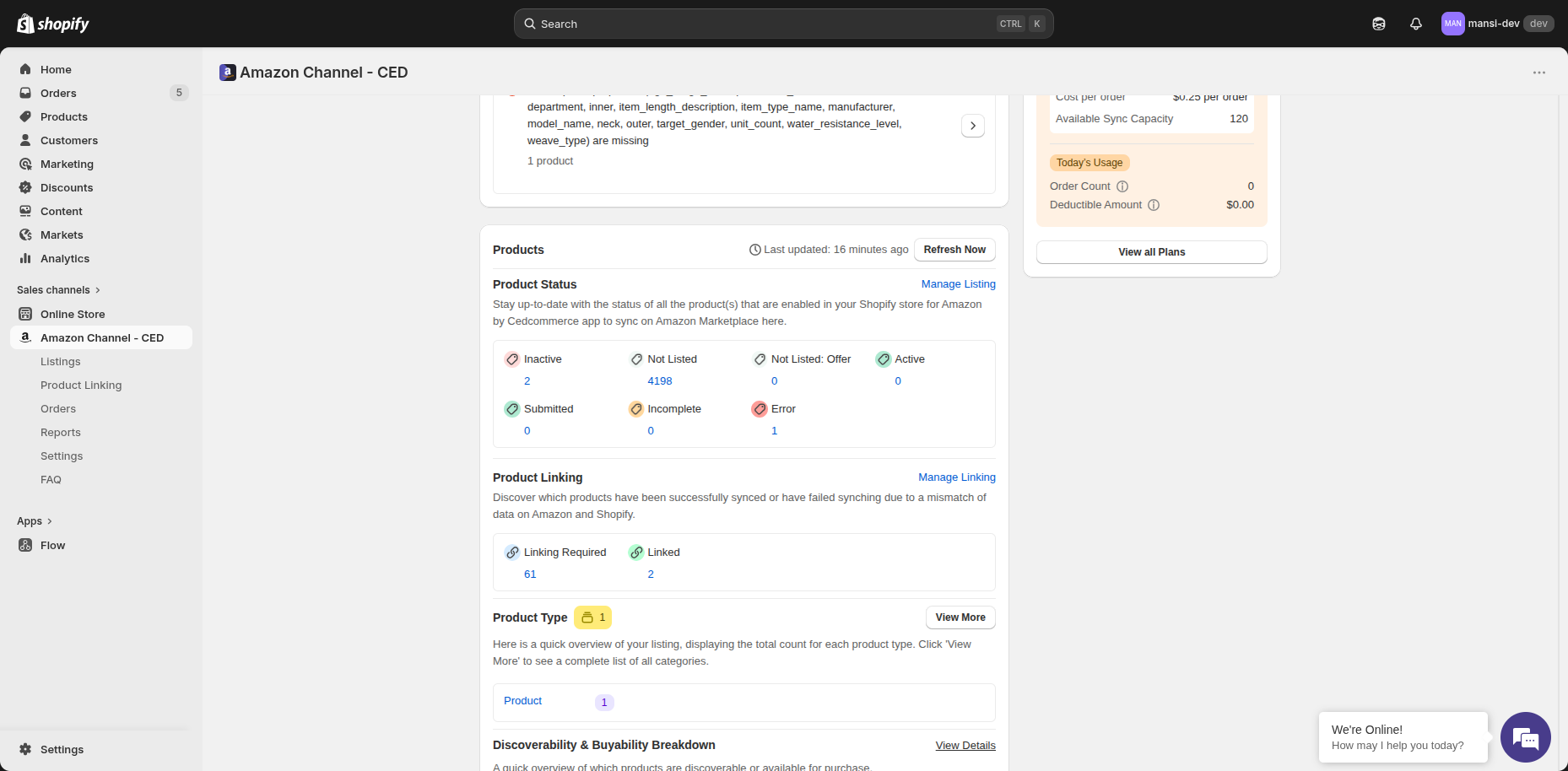
What each status means
| Status | What it means |
|---|---|
| Inactive | The product is paused on Amazon — it isn't visible to buyers. |
| Not Listed | The product hasn't been pushed to Amazon yet. |
| Not Listed: Offer | The product would be added as an offer on an existing Amazon listing, but hasn't been pushed yet. |
| Active | The product is live and buyable on Amazon. |
| Submitted | The product was sent to Amazon and is waiting on Amazon's processing. |
| Incomplete | The product is missing required information (image, attribute, etc.). |
| Error | Amazon rejected the listing — open the row to see the exact error. |
Drill in
- Click the number under any status to view those products.
- Click Manage Listing at the top of the card to open the full Listings page.