Import your Shopify products into the CedCommerce Amazon Channel app

Import your Shopify products into the CedCommerce Amazon Channel app

Your Shopify products are imported into the app automatically. You just need to include the Amazon Channel - CED sales channel on the products you want to sell on Amazon. No CSV upload, no manual sync.

You can do this for a single product or in bulk.

Option A — For a single product

  1. In Shopify Admin, open Products and click the product you want to list on Amazon.
  2. On the right side of the product page, find the Publishing panel.
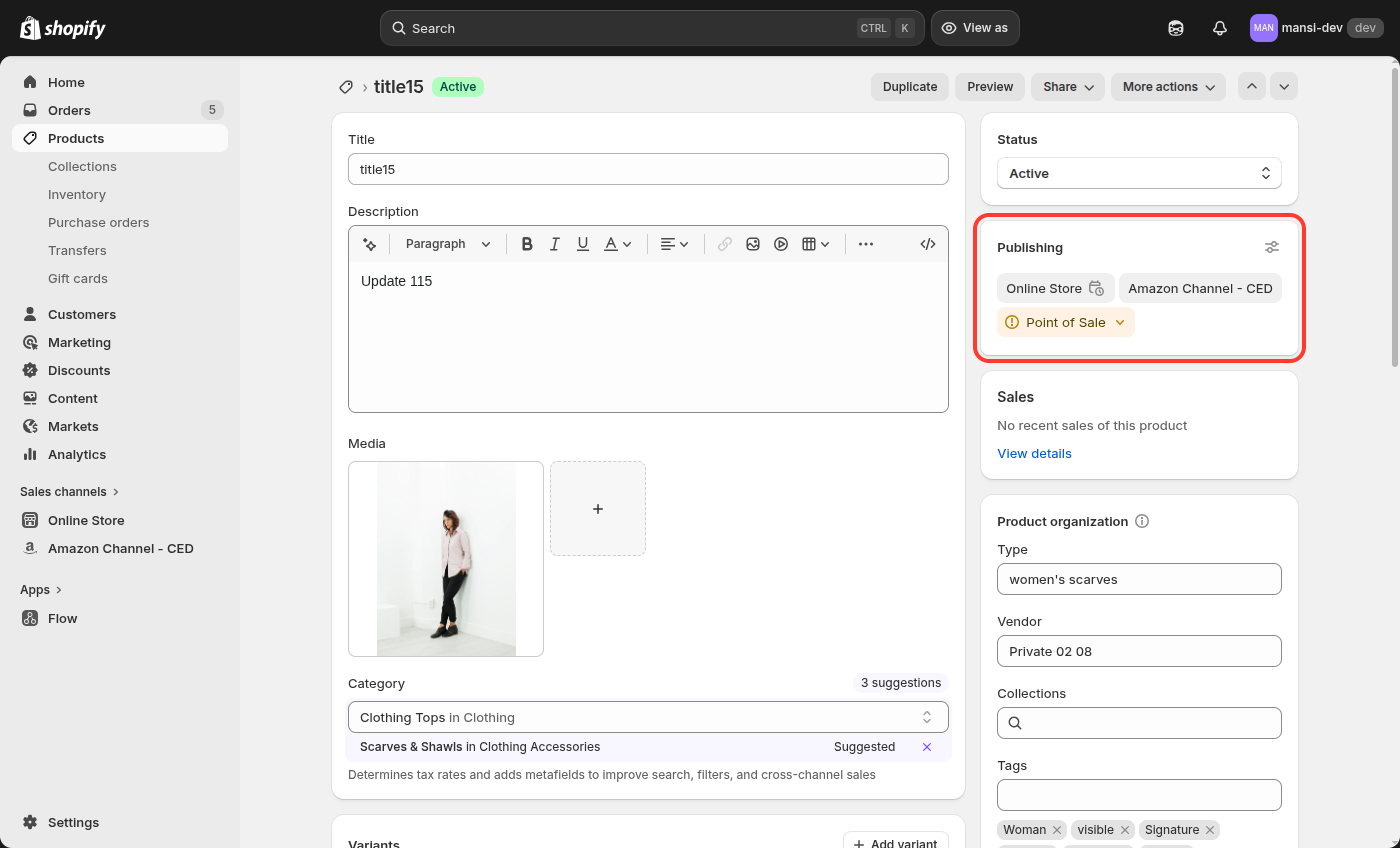
Publishing panel on product edit page

  1. Click Manage publishing.
  2. In the modal, turn on the toggle for Amazon Channel - CED and click Done.
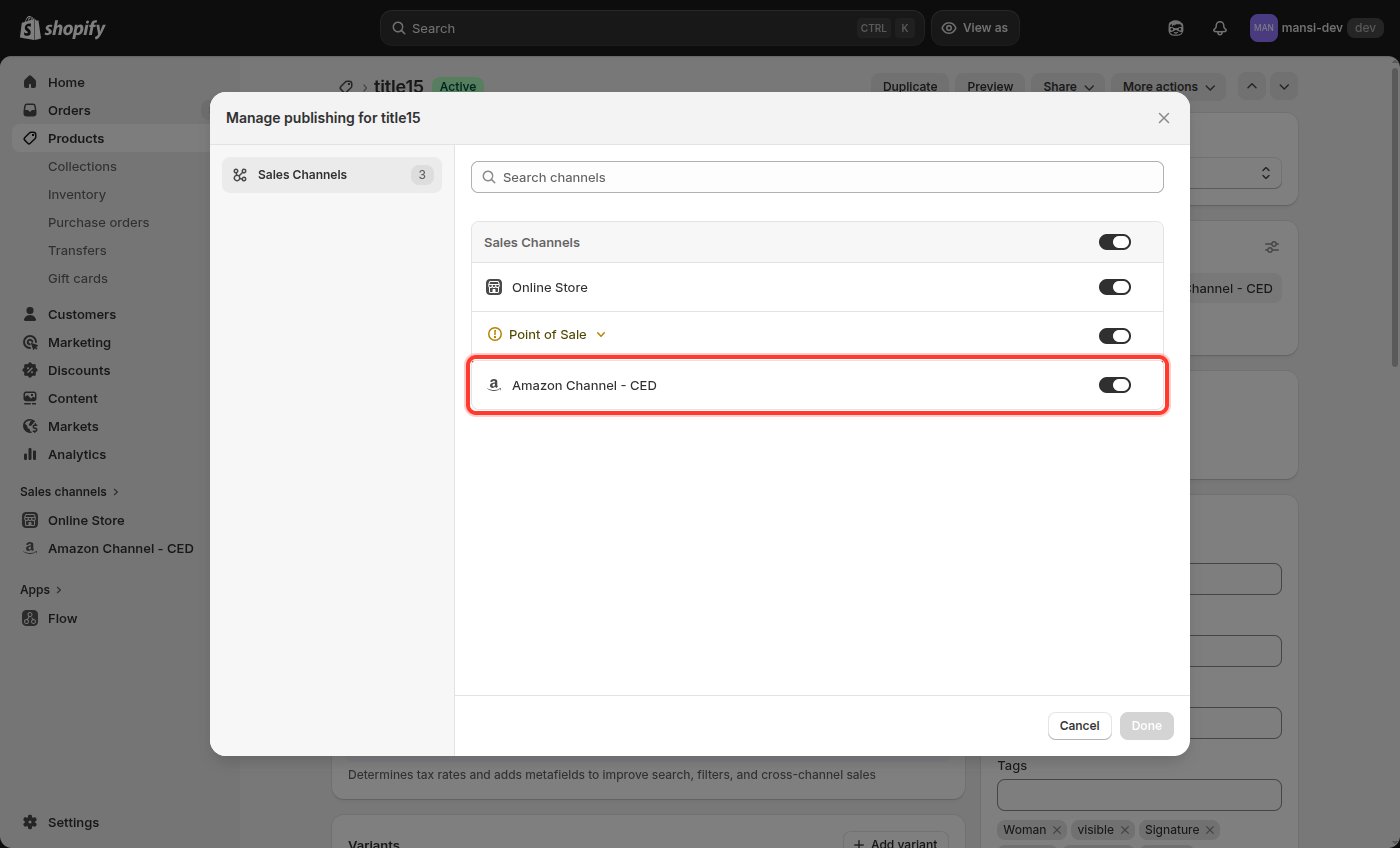
Manage publishing modal with Amazon Channel - CED highlighted

Option B — For multiple products (bulk)

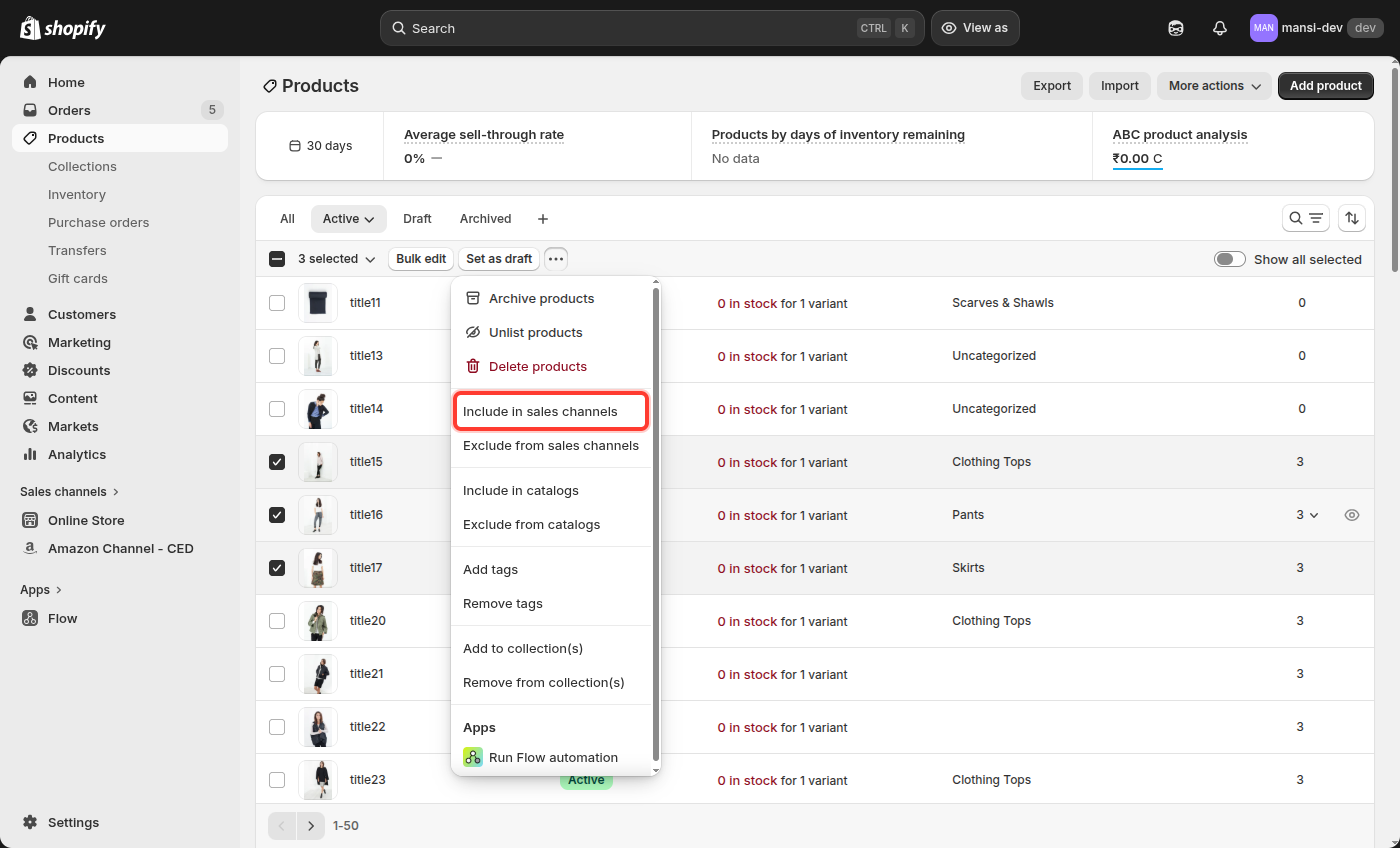
  1. Go to Products and select the products you want to list on Amazon (tick their checkboxes).
  2. On the selection bar at the top, click the (Actions) button.
  3. Choose Include in sales channels.

Bulk Actions dropdown with Include in sales channels highlighted

  1. In the pop-up, tick Amazon Channel - CED and click Include products.
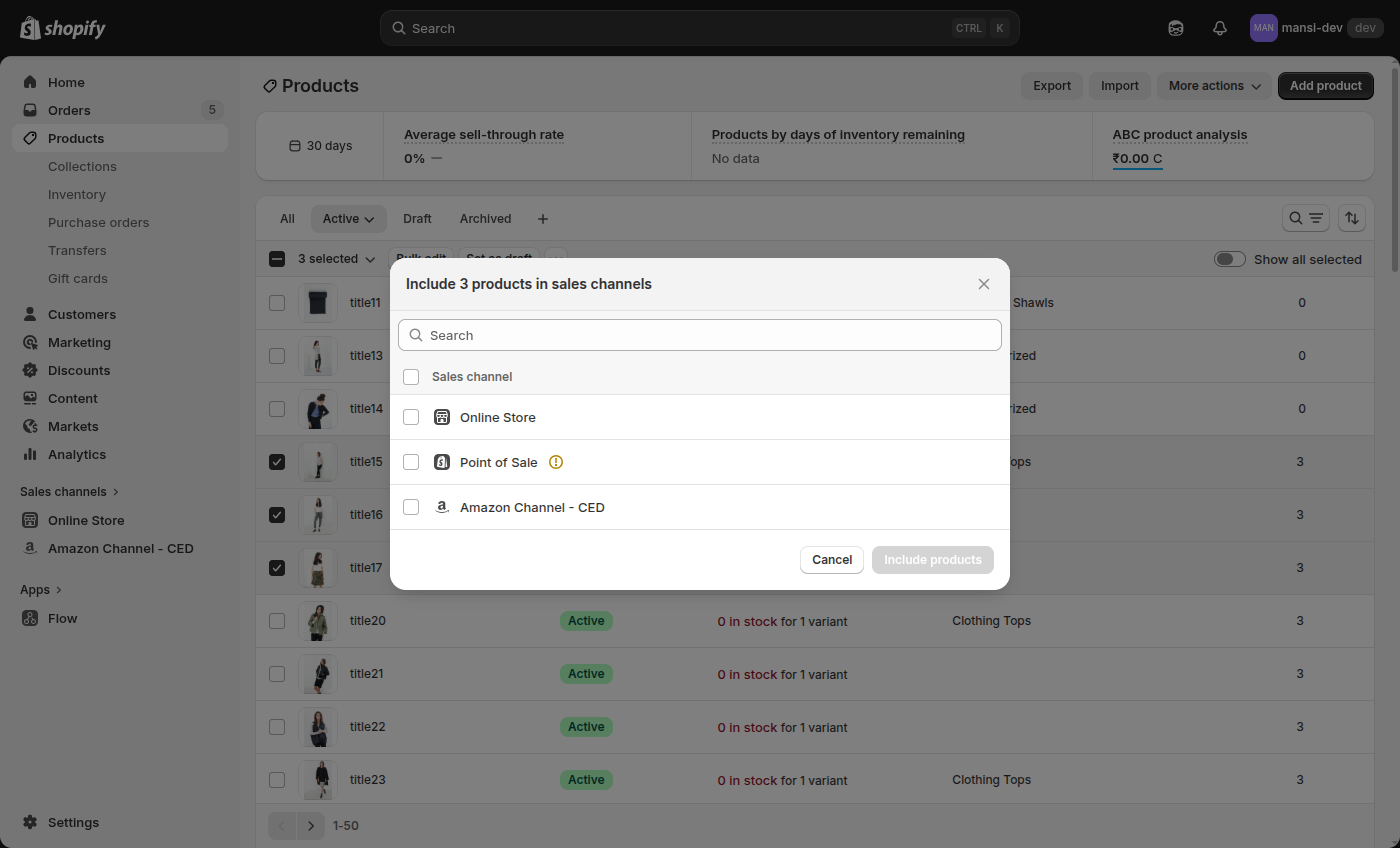
Include in sales channels bulk modal showing Amazon Channel - CED

What happens next

The moment a product is added to the Amazon Channel - CED sales channel, it flows into the CedCommerce Amazon Channel app and appears in your Listings section. Any later change you make in Shopify — title, price, inventory, images, or delete — is reflected in the app automatically within seconds.

Important: only Active products are imported

Products must have Active status in Shopify to be imported. Draft and Archived products are skipped. Set the status to Active in Shopify, and the product will import on its own.

    • Related Articles

    • Onboarding the CedCommerce Amazon Channel

      Onboarding Welcome to the CedCommerce Amazon Channel App onboarding process! This guide will help you install the app in your Shopify store and integrate it with your Amazon account. To ensure a successful start, have the following prerequisites ...
    • Getting Started with CedCommerce Amazon Channel

      Welcome to the CedCommerce Amazon Channel App! Effortlessly manage your Amazon business from Shopify with a single, integrated solution. The CedCommerce Amazon Channel App allows sellers to connect multiple Amazon Seller Accounts in one place, ...
    • Uninstall the CedCommerce Amazon Channel app

      Remove the CedCommerce Amazon Channel app from your Shopify store. Uninstalling clears all data the app holds for this store — there is no way to restore it on reinstall. Tip: If you're facing any kind of issue while using the app, contact support ...
    • Pick the CedCommerce Amazon Channel plan that fits you

      Compare the subscription plans available for the CedCommerce Amazon Channel app. Each plan controls the features available across Order Management, Product Management, Account Management, and Amazon Growth Tools. Free $0 / month Beginner $19 / month ...
    • Import Shopify metafields into Amazon listings

      Enable this feature to import vital meta attribute data from Shopify, enhancing your Amazon product details. Enriched listings will improve customer experience, boost visibility, and drive higher sales. Steps Go to Settings → Product Settings → ...