How Sync Status keeps your products linked and updated
Sync Status runs automatically once every 24 hours, so your product status and data stay updated without you having to click anything. Since product syncing already occurs every 24 hours, it's recommended to run it manually only if you've recently added new listings on Amazon or a product's status was updated.
When Sync Status runs, it fetches products from Amazon and syncs their status with your Shopify products. The data the app pulls in covers the basics — for example, ASIN, SKU, and Title — so you can recognise each listing easily.
When Amazon's SKU or barcode matches a Shopify product, the app links them automatically — you don't need to map those by hand.
Note: If you've added a product directly on Amazon, or changed a product's status on Seller Central, and you still don't see the update in the app even after running Sync Status — that's because Amazon itself only refreshes its data once every 24 hours. Sync Status pulls whatever Amazon currently has, so a newly added listing or a recently updated status can take up to 24 hours to show up in the app.
How to run Sync Status manually
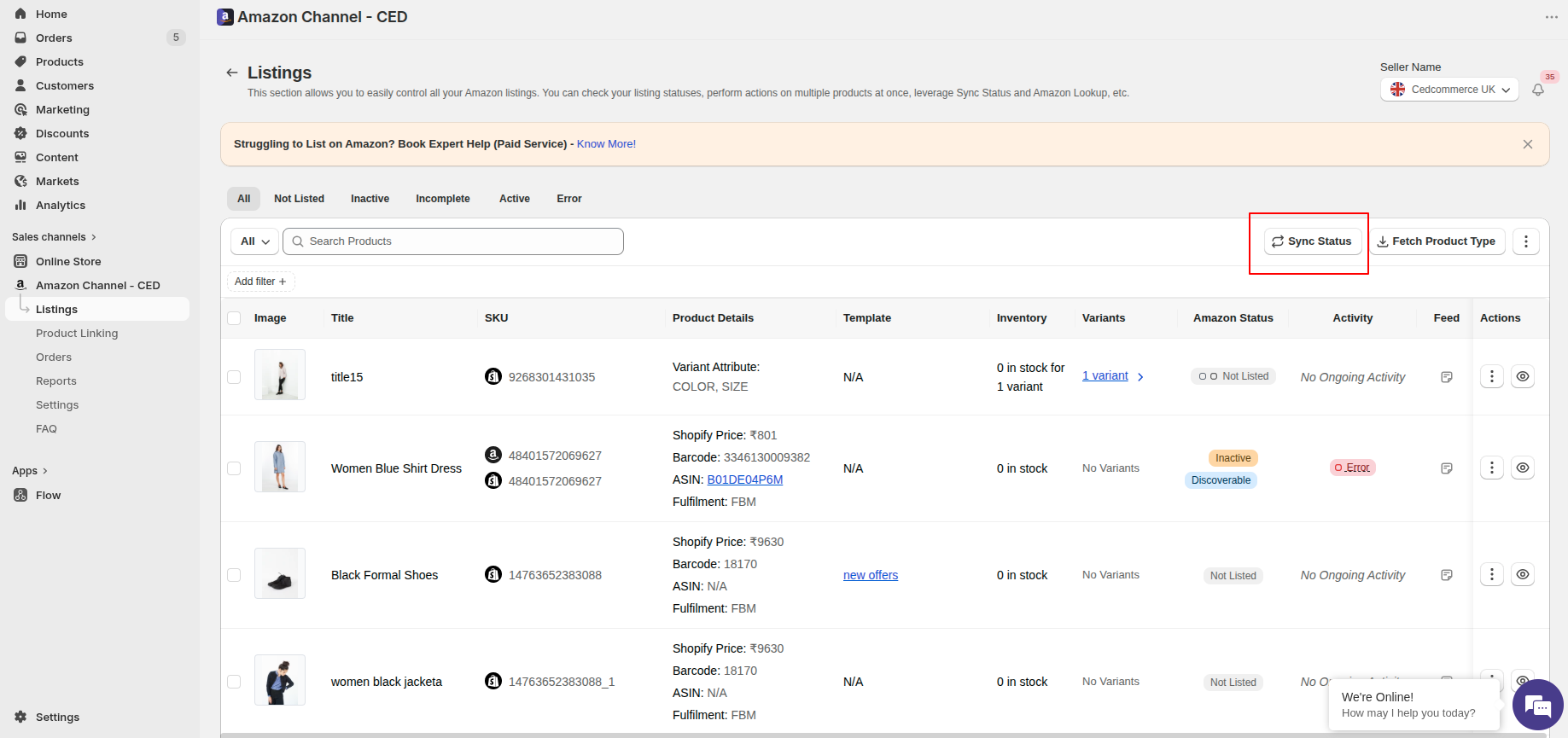
- Open the Listings page in the app.
- Click Sync Status at the top right of the toolbar.
- Wait a few minutes — Amazon prepares the report and the app imports the data.
Once Sync Status finishes, open Product Linking from the left menu. Switch between FBA and FBM under Fulfilment Type, then use the Linking Required and Linked tabs to see which products still need attention and which are already paired with a Shopify product.