Unlink an Amazon Product from a Shopify Product

Unlink an Amazon Product from a Shopify Product

If you want to unlink your Amazon Product from the Shopify one, follow the steps below.

Steps to unlink a product

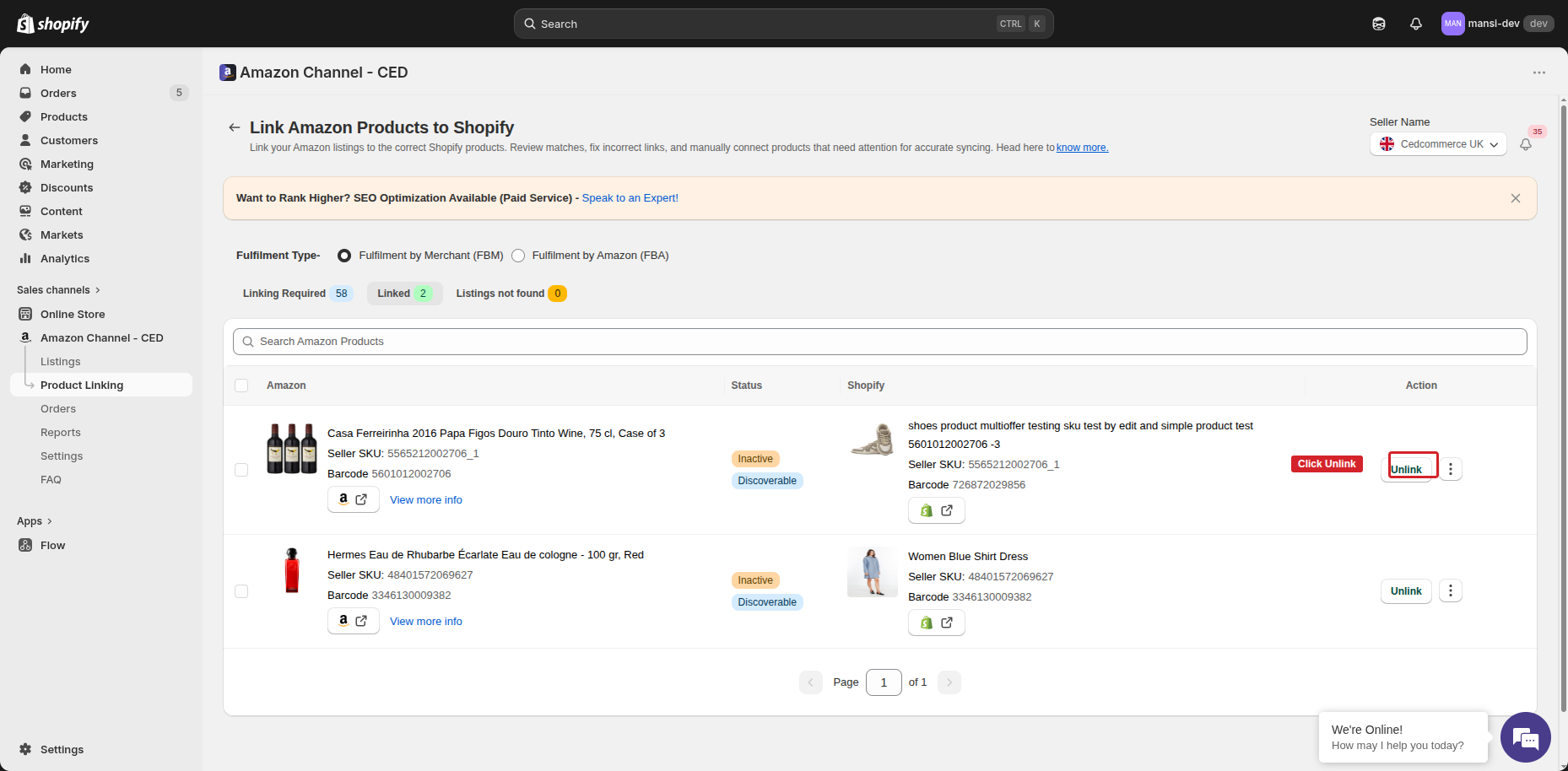
  1. Open Product Linking from the left menu, pick FBA or FBM under Fulfilment Type, and switch to the Linked tab.
  2. Use the Search Amazon Products bar at the top to search by the Amazon SKU (or product title) and locate the pair you want to unlink.
  3. Click the Unlink button on that row.

Unlink button on a Linked row

  1. A confirmation dialog appears — “On clicking on Save your product will be Unlinked.” Click Save to confirm, or Cancel to keep the link.
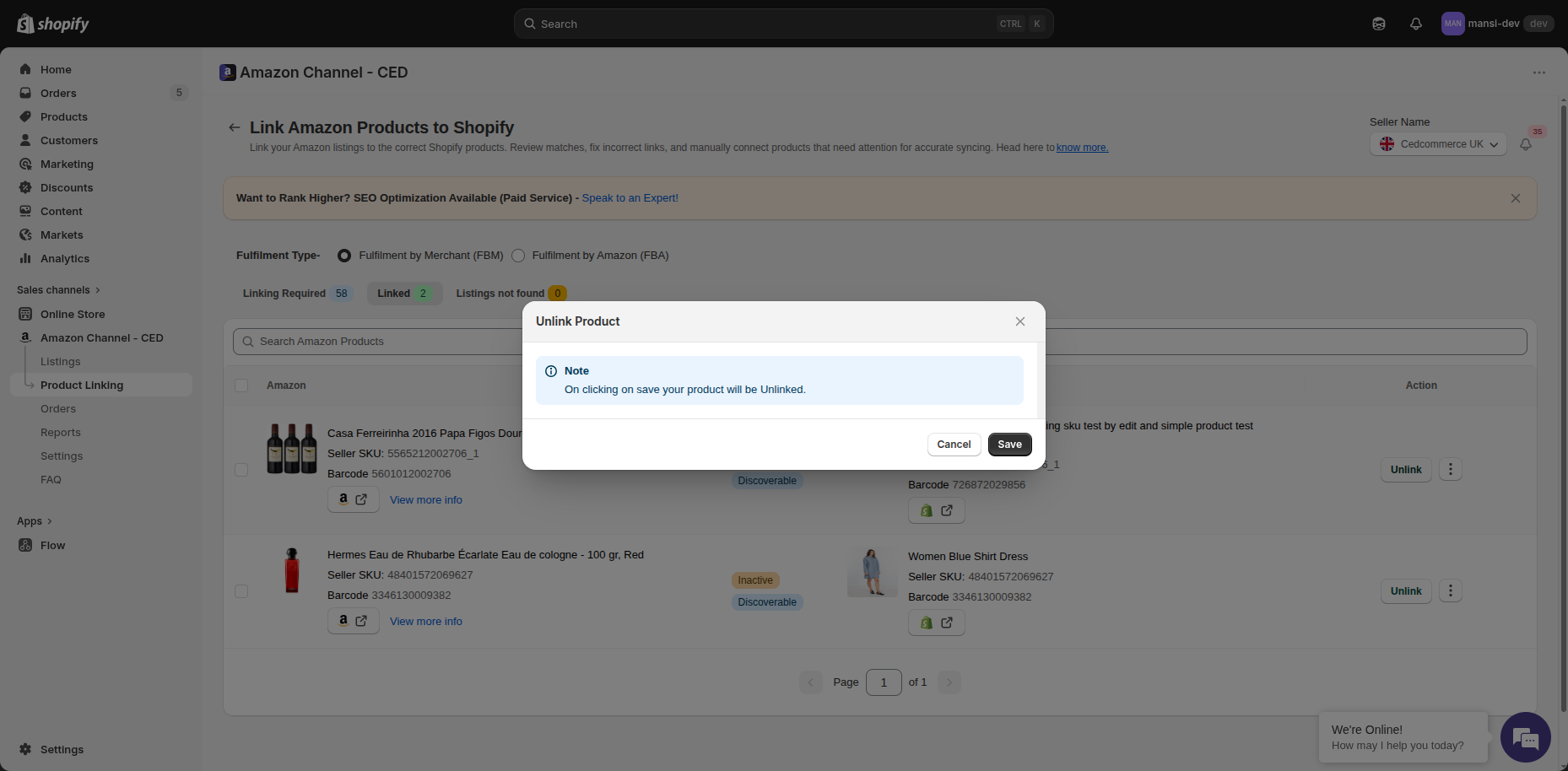
Unlink Product confirmation dialog

That's it — the Amazon Product moves back into Linking Required, and the Shopify Product is no longer paired with it. From this point on, status and inventory updates between the two products stop.

Note: Unlinking only breaks the connection between the two products inside the app. It does not delete or change the Amazon Product on Seller Central, and it does not change the Shopify Product itself.

Tip: After unlinking, if you want to pair the Amazon Product with a different Shopify Product, head back to the Linking Required tab — the Amazon Product will be there waiting, with a fresh Link button.

    • Related Articles

    • Link Amazon Products under Linking Required to Shopify products

      Sync Status cannot auto-link an Amazon listing to a Shopify product when their SKU and barcode don't match. Such listings stay under Linking Required in the Product Linking section, and you can pair them with the right Shopify product yourself using ...
    • Bulk-link Amazon Products to Shopify Products using a CSV

      When your Amazon SKU or barcode is different from the Shopify SKU/barcode, Sync Status cannot auto-link those Amazon Products. Linking them one by one with the Link button works, but it's slow when you have hundreds of products. Instead, you can ...
    • Turn off Auto Update for a linked Amazon Product

      What the two checkboxes do The Auto Update Settings dialog has two checkboxes — both on by default: Auto Sync — keeps the link alive automatically. If you unlink the product later, having this checked means the app will try to re-link it ...
    • Refund failed: SKU mismatch after unlink or re-link

      If the SKU on the Amazon order's line doesn't match the SKU currently linked between your Shopify product and the Amazon listing, the refund can't be matched back to a line on Amazon, and Amazon rejects it. Why it happens Each Amazon order line is ...
    • Onboarding the CedCommerce Amazon Channel

      Onboarding Welcome to the CedCommerce Amazon Channel App onboarding process! This guide will help you install the app in your Shopify store and integrate it with your Amazon account. To ensure a successful start, have the following prerequisites ...