Which Amazon orders sync to Shopify, and how

Which Amazon orders sync to Shopify, and how

Once your store is connected, Amazon orders flow into the CedCommerce Amazon Channel app on their own — there's nothing to set up, and you don't need to refresh or run a manual sync.

Where to find your orders

Open Orders in the left navigation. Every order Amazon has sent to the app appears here, grouped under two tabs:

  • All — every order the app has received, across statuses (Unshipped, Shipped, Cancelled, Pending).
  • Errors — orders that arrived but couldn't be created on your Shopify store. The badge on this tab tells you how many need attention.
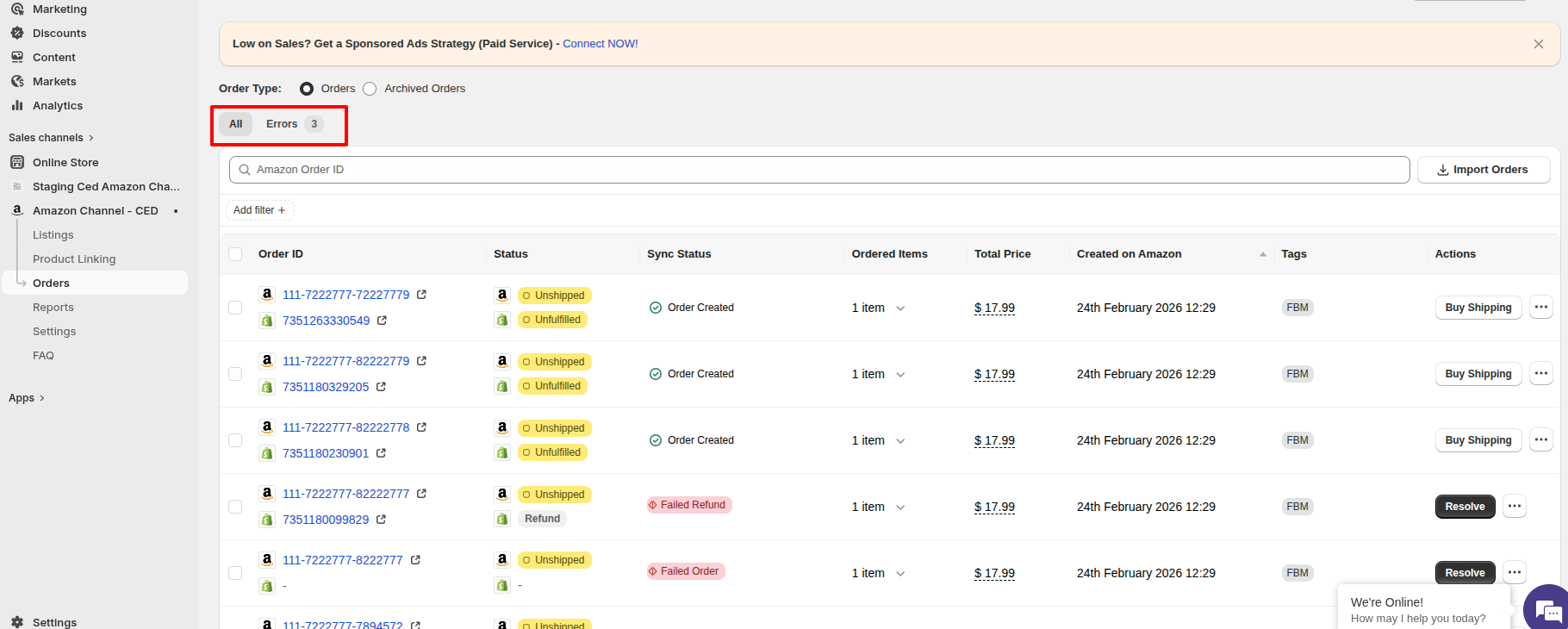
Orders panel with All and Errors tabs

How orders reach the app

MFN / FBM orders. When an FBM order is placed on Amazon, it first enters a Pending state. Once Amazon updates its status to Unshipped, the order is imported into the app and then synced to your Shopify store.

FBA orders. FBA orders also begin in Pending status. When Amazon updates the status to Shipped, the order is imported into the app and synced to Shopify.

Note: The time it takes for an order to move from Pending to Unshipped or Shipped is entirely dependent on Amazon's internal processing, not CedCommerce.

    • Related Articles

    • Sync FBA orders from Amazon to the app and on to Shopify

      By default, only FBM orders flow through to Shopify. To also bring FBA orders into the app and forward them to Shopify, turn on the two FBA sync toggles. Enable both for the full Amazon → app → Shopify path. Steps Go to Settings → Order Settings → ...
    • Onboarding the CedCommerce Amazon Channel

      Onboarding Welcome to the CedCommerce Amazon Channel App onboarding process! This guide will help you install the app in your Shopify store and integrate it with your Amazon account. To ensure a successful start, have the following prerequisites ...
    • Why is my FBM order taking so long to sync to Shopify?

      When an FBM order is placed on Amazon, it first enters a Pending state. Once Amazon updates its status to Unshipped, the order is imported into our app and then synced to your Shopify store. Note: The time it takes for an order to move from Pending ...
    • Why is my FBA order taking so long to sync to Shopify?

      When an FBA order is placed on Amazon, it first enters a Pending state. Once Amazon updates its status to Shipped, the order is imported into our app and then synced to your Shopify store. Note: The time it takes for an order to move from Pending to ...
    • How Amazon order cancellations sync to the app

      When an Amazon order is cancelled — whether by you in Seller Central, by the buyer within Amazon's cancellation window, or by Amazon itself — the cancellation is picked up by the CedCommerce Amazon Channel app automatically. There's nothing for you ...