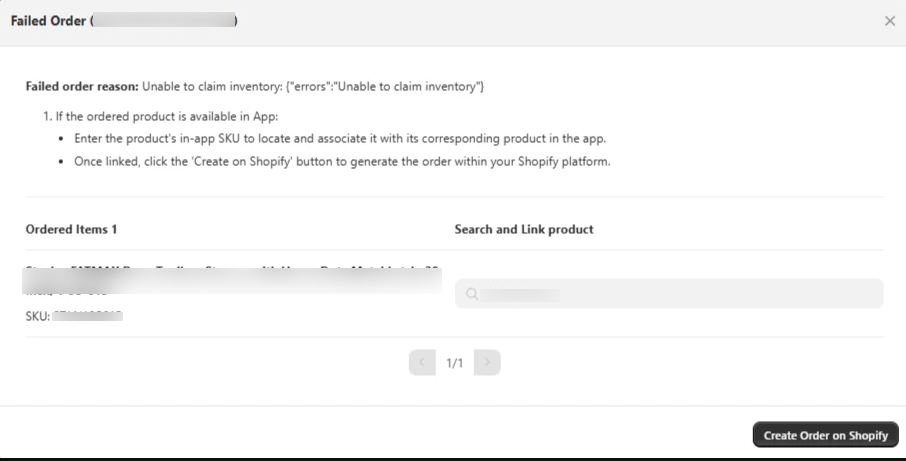
Order failed: Unable to claim / reserve inventory
If a Failed Order's reason reads "Unable to claim inventory" or "Unable to reserve Inventory", Shopify rejected the order because it couldn't allocate stock for one of the SKUs. There are two common causes.
1. The SKU has no inventory in Shopify
The most common cause: the linked Shopify variant is at 0 stock. Update the inventory in Shopify, then retry the order from the Failed Order dialog.
2. Multi-warehouse: one location has 0 inventory
If your Shopify store fulfils from multiple warehouses / locations, Shopify can refuse the order even when the total stock across locations is enough. This happens when Shopify's internal warehouse-selection logic (driven by your Shopify location priority and order-routing configuration) picks a location whose stock is 0 for the SKU.
This isn't something the app can override — Shopify's location/routing rules decide which warehouse fulfils each SKU. To resolve it:
- Contact CedCommerce support and share Shopify Collaborator access so we can review the configuration with Shopify support and get the order created on your behalf.