User Profile
User profile
Here you get all your Shop Details, App Information, Walmart Details, and Shopify Details. You can also perform Notification settings from here itself.
Go to the Walmart Integration app and click Welcome on the top right corner of the page. Then click Profile. The following page opens up: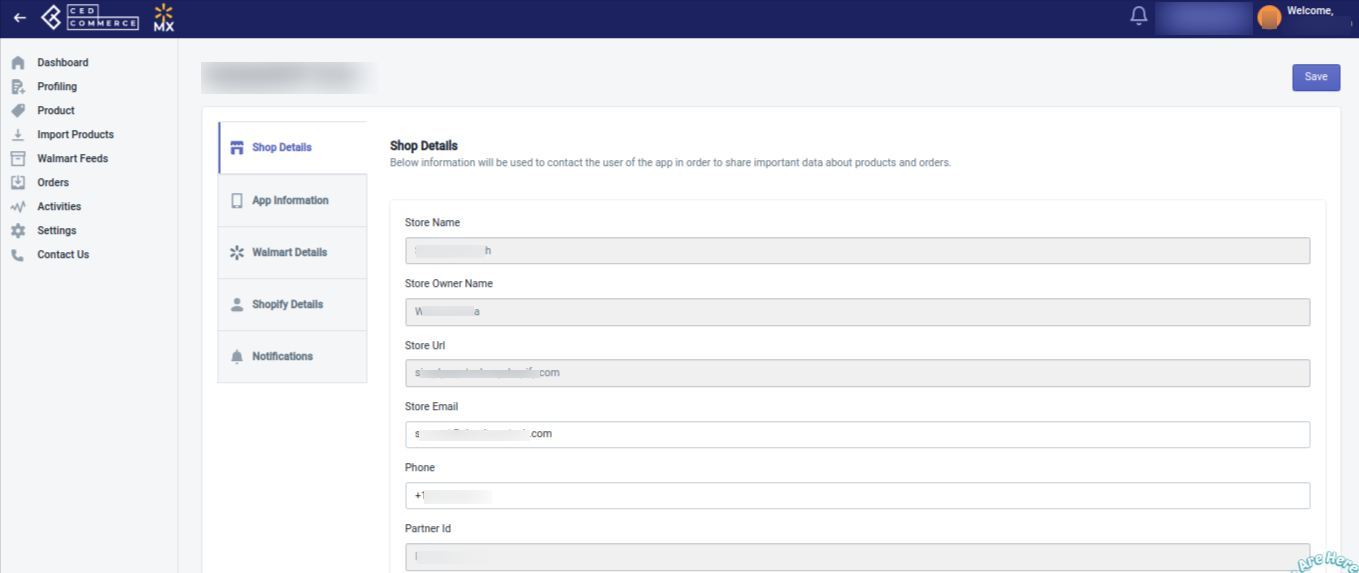
Now going to your desired section, you can get the required details.
Shop details
This section displays all your shop details, like Store name, Store owner name, Store URL, Store email, Phone number, Partner ID, your current plan, etc., as shown below: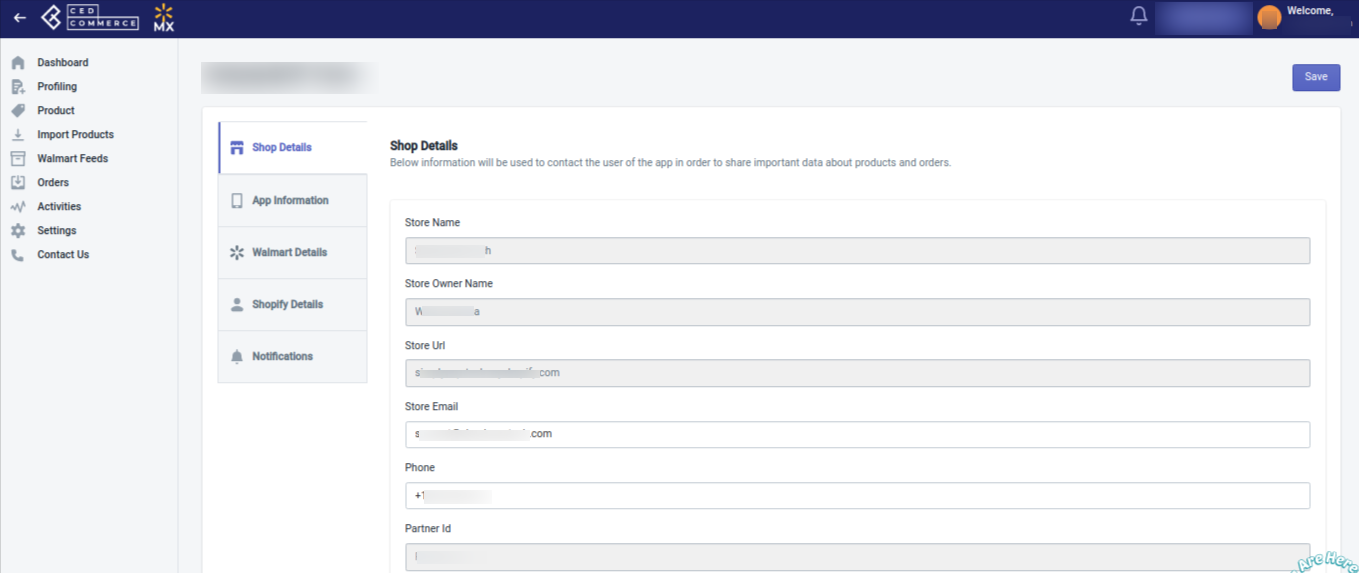
App Information
This section displays all the information about the Walmart Integration app that you are using. It shows you the app install date and the date of expiry. It also shows you the SKU import limit, SKU upload limit, and Order import limit. You can get details of your active plan and its price along with the date of activation too here.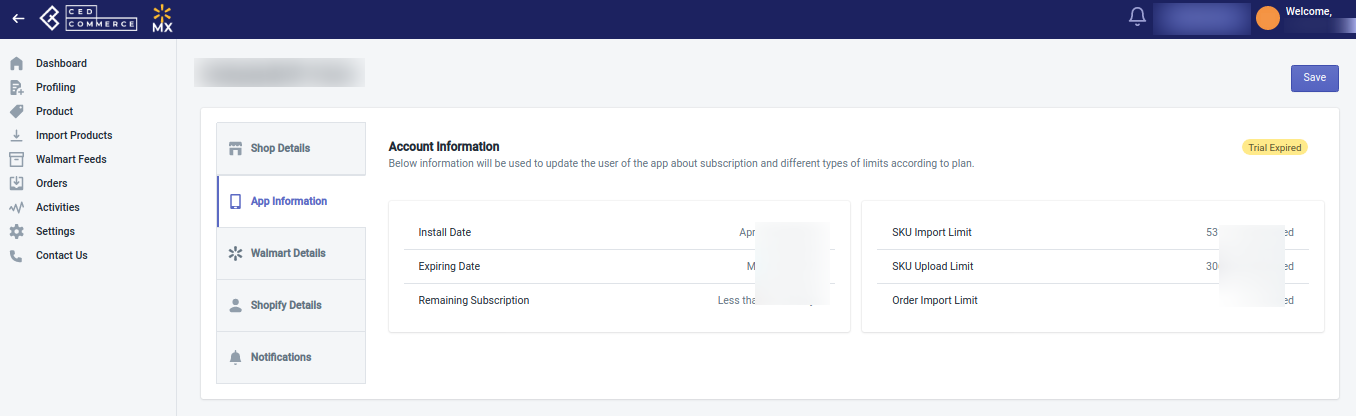
Walmart details
This section shows your Seller Center credentials(Username and password).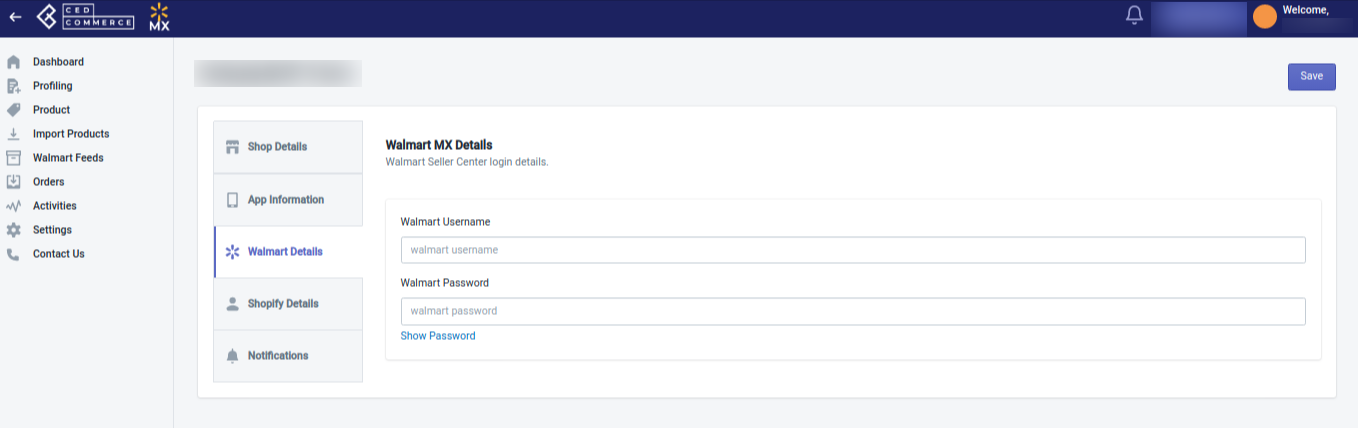
Shopify details
This section shows your Shopify details like username and password, and also shows your login history.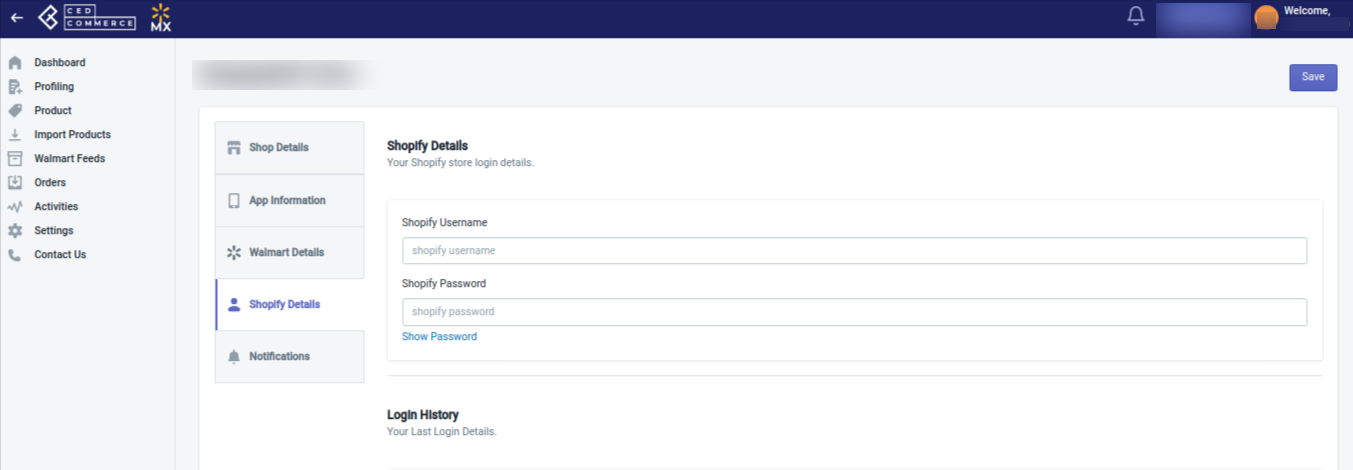
Notifications
You can perform all your notifications-related settings from here. You can enable the notifications that you want to receive or disable the ones that you don’t want.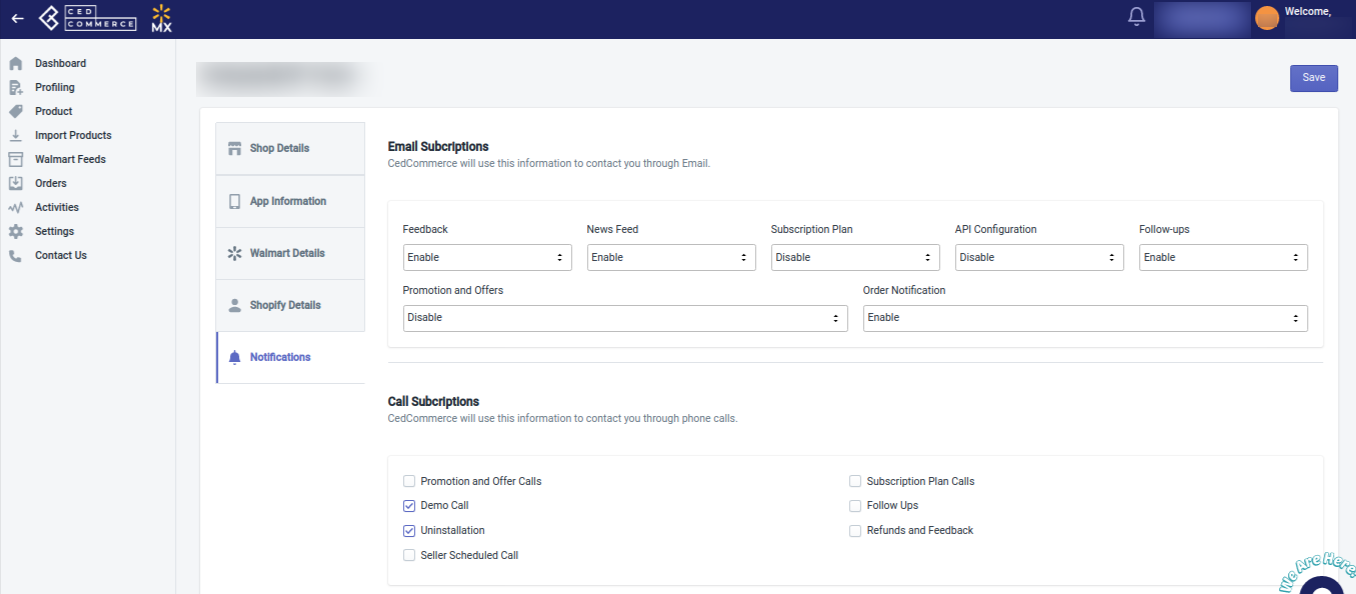
Related Articles
Seller Help
This section of the app helps you connect with the experts the way you prefer. You can connect with experts via: Phone call Email support WhatsApp support Skype support Scheduling a Meeting You can also reach out to the experts by selecting an area ...Getting Started
Getting Started Getting accepted to sell on Walmart.com is subject to their guidelines, however, there is a simple and straightforward process that starts with applying to be selected as a Walmart seller. So here goes the process → Note: Still not a ...Step 1: Walmart API
Step 1: Walmart API This step begins with Mobile number verification. Enter your mobile number to get an OTP that you will need to enter to proceed to the Walmart API page. Walmart API page appears as shown in the following figure: Enter the ...Walmart Other Configurations Settings
Once the store owners have installed the app in the store and completed the five steps procedure of registration and the Walmart Configuration settings, they have to proceed further with the other configuration settings through the app. Set up the ...Manage Profiles
Manage Profiles You can perform two actions here: Create a New Profile Edit an existing profile 1. Create a New Profile To create a New Profile, follow the steps given below: Open the Walmart Integration App, and on the Home Screen, click Profiling. ...